Learning panes is a project that helps me learn and understand technical articles, allowing me to dive deep into areas I don’t understand with the help of LLMs.
I read a lot of technical writeups and articles. I don’t always understand what I read or what the author means when they put a set of words together. With LLMs and AI today, I often either paste the article into the chat window, or the URL of the and ask questions of the LLM then I can copy and paste sections of the LLM’s explanations that I don’t understand and ask it to explain further or test my understanding. However, this is very clunky and requires a lot of back-scrolling and copy-pasting. I also need to keep track of where I am in the conversation and exploration to avoid getting lost.
Learning panes is a way to improve that UI.
Design references
The reference that I’m drawing upon is https://notes.andymatuschak.org/About_these_notes. His interface provides a very intuitive way to read and dive into a topic, with panes opening on the right as you navigate the graph of posts. This is a great way to present structured information in a train of thought manner that dives deep, but I don’t have pre-written notes for a topic that I know nothing about and someone else wrote.
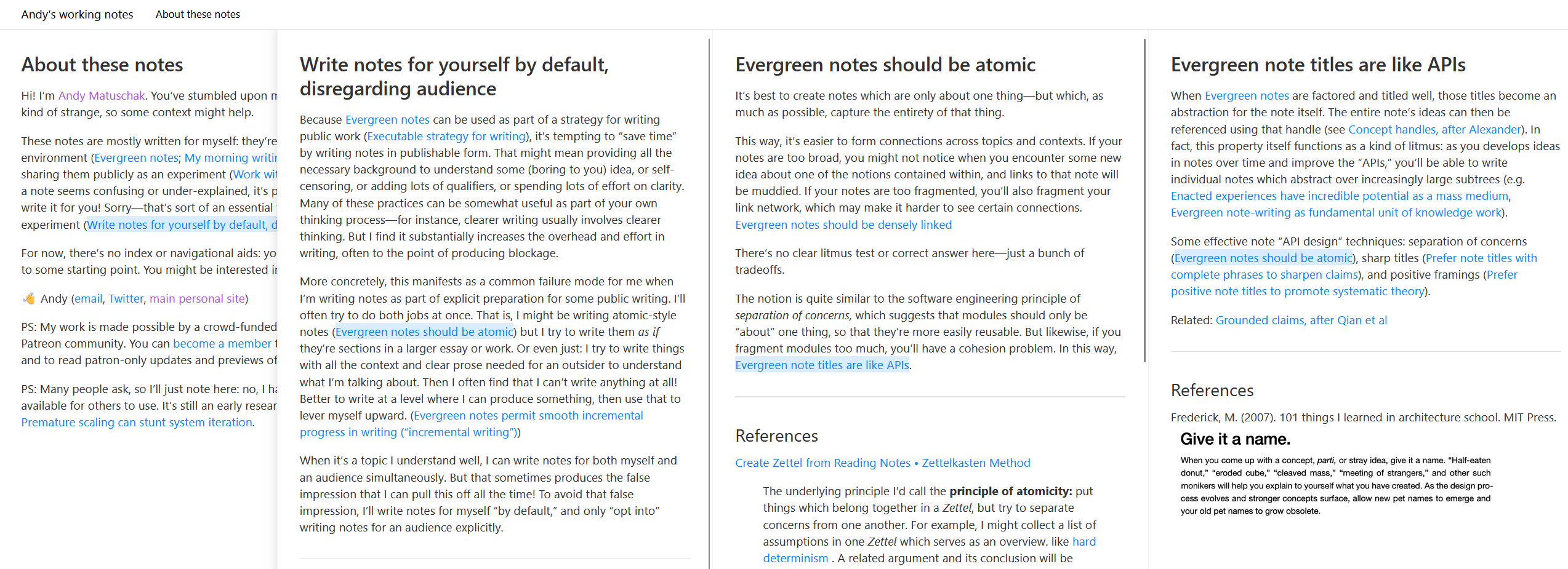 Instead of pre-linked notes in a dense graph, my project uses LLMs to generate the content of child notes as a tree.
Another inspiration I draw from is from my ebook reader, where I can highlight certain words I don’t know and have it look up a dictionary definition. This is a very convenient way to quickly look up something, but simple lookup lacks context.
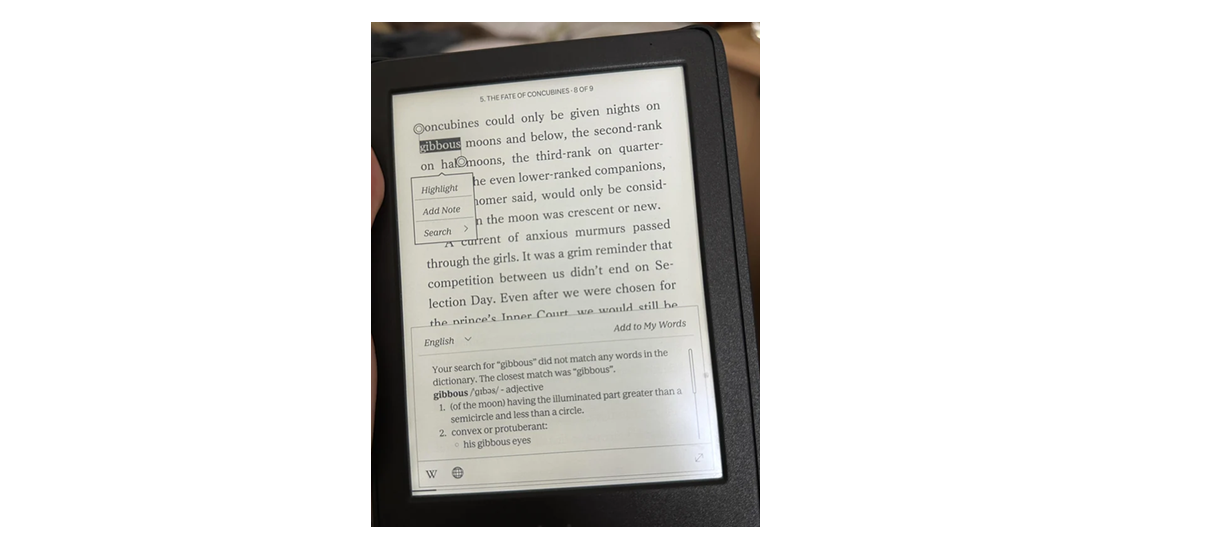 An easy way is to provide the context of the article, so the LLM has the full picture on how to answer the question in context, which is extremely important when it comes to understanding.
MVP
I thought combining these two interfaces was quite intuitive, and it mirrors how I read content in the physical world (aka highlight and lookup information if I don’t understand a certain concept).
I like this UI because this type of research is hard to present as a linear series, and it is hard to organise information as a tree in the physical world. This allows me to do both.
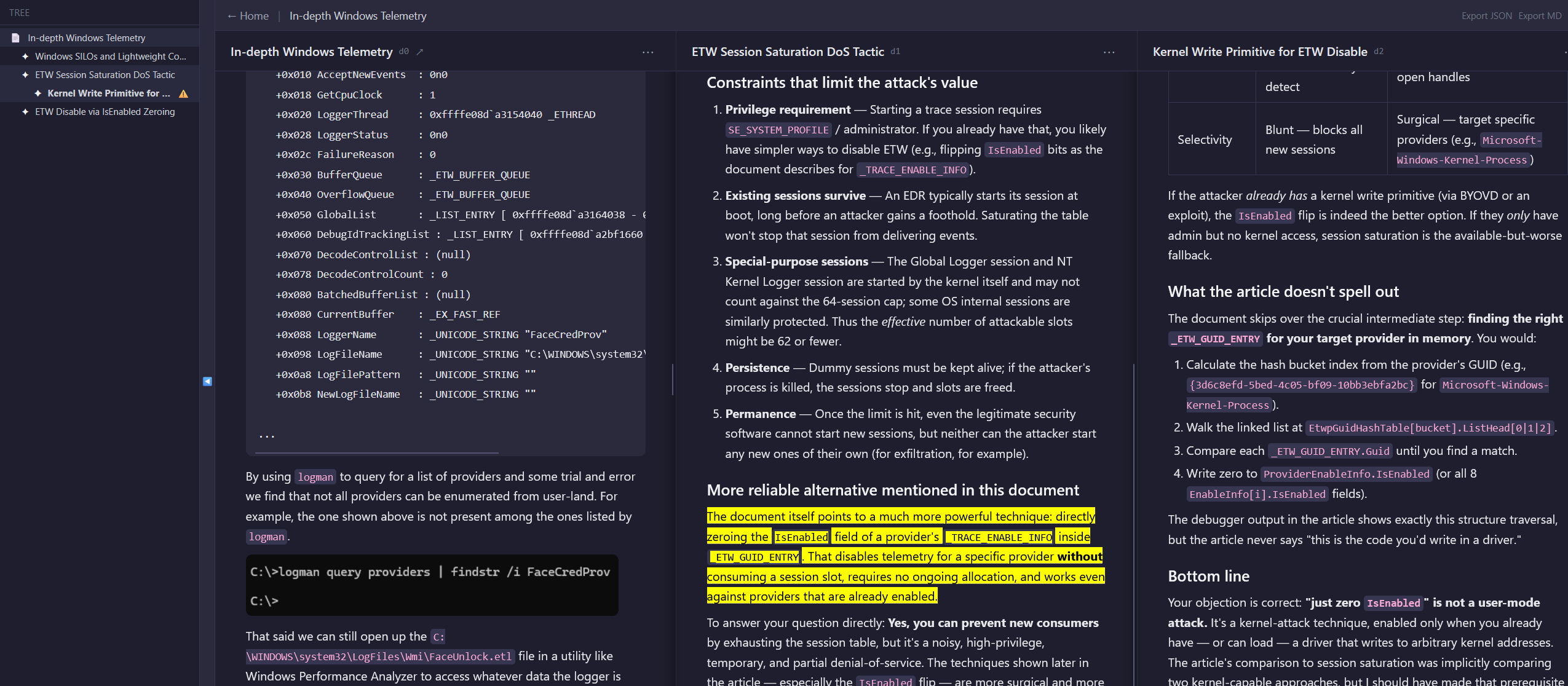
Highlight a section, and a small text box for you to describe exactly what you don’t understand pops up. The child pane takes the context of the parent, along with your highlighted portion and question and generates content that helps to clarify that portion of text that you don’t understand.
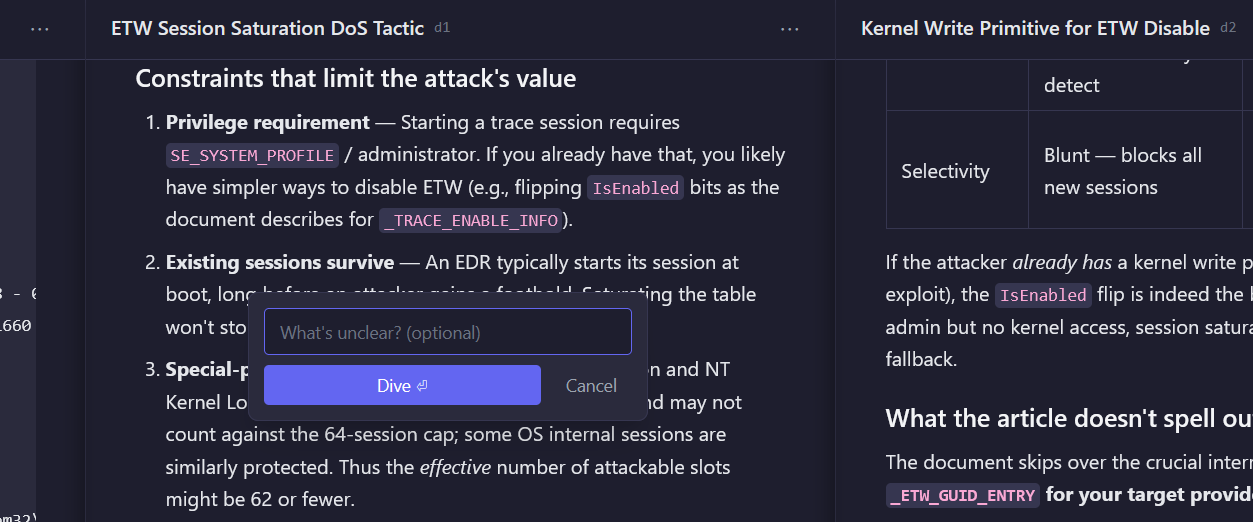
If the explanation proves to be too complex, iterate until understanding is achieved. Most LLM assisted understanding tools are chat based, or only go to a single depth. The additional benefit is that the full context is provided, so the LLM makes references to how concepts relate to the parent article, which is enormously useful.
This is AI-augmented learning, driven by my own curiosity.
This feels like how I felt browsing Wikipedia fifteen years ago, where it would be possible to follow link upon link until you forgot how you reached the current article.
Currently once understanding is achieved, the knowledge graph that has built up can be discarded, but I think this could be useful as a summary or linking to other notes from different parents to build up a stronger association over time.